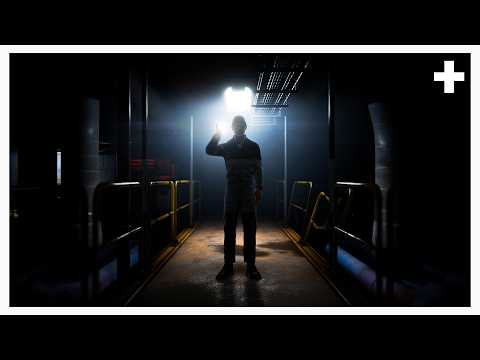
A gray-box corridor, a moving camera, and a placeholder character become the foundation for a cinematic sequence before any generative-video credits are spent. That reversal of the usual prompt-first process gives the tutorial its clearest idea: use Blender to establish camera movement, timing, composition, and editing first, then ask the generative model to transform that structural reference into the finished visual world. The concept is demonstrated rather than merely described, making the workflow easy to understand even when the surrounding tool names and integrations become dense.
The corridor example is an effective introduction because the creator iterates on something deliberately simple. An initial camera move is judged too plain, then refined with additional framing, wall detail, lens animation, an orbit, profile tracking, and a top-down shot. The resulting Blender render becomes a timed reference from which a second-by-second generation prompt is produced. A comparison without the 3D blocking is especially useful: within the creator's demonstration, the reference-driven version follows the intended camera path much more closely, while the prompt-only version drifts. Claims that text prompting alone could never achieve comparable results are stronger than the evidence can establish, but the side-by-side test still illustrates why previsualization can reduce uncertainty.
The six-person dialogue sequence provides the strongest stress test. Maintaining seating positions, eyelines, speaker identity, and shot continuity across multiple cuts is presented as a recurring weakness of generative video, so the creator blocks all six participants around a table and specifies four camera setups before generating the finished scene. The demonstrated result keeps the dialogue attached to the intended characters and preserves the scene geography, while the comparison generation swaps positions and produces continuity problems. The creator says nearly 5,000 credits were spent unsuccessfully attempting the uncontrolled version, but no broader accounting is provided to establish how typical that cost would be.
More elaborate camera exercises show why Blender adds value beyond merely conserving generations. Orbiting between several environments, rising through floors, and reproducing robotic-arm-style moves become editable paths rather than instructions the model must interpret from prose alone. A particularly persuasive detail is the ability to move a control point directly when an angle needs changing instead of regenerating an entire sequence. That gives the workflow a practical production advantage: creative decisions about motion can be revised deterministically before the expensive generative stage, although the repeated assertion that prompt-only methods cannot handle such movements is presented more confidently than the limited comparisons justify.
The commercial demonstration extends that logic to client revisions. Simple geometric stand-ins represent cans, ice, fruit, and other elements while the creator concentrates on shot order, timing, speed ramps, and camera acceleration. When hypothetical feedback calls for a stronger opening, clearer flavors, and a logo reveal, the sequence is reworked in Blender rather than rebuilt through repeated generations. The lesson is sensible and unusually production-oriented: not every visual element needs to exist in previsualization, and difficult effects such as liquid can be deliberately left for the generative stage while structural decisions remain fixed.
The final 19-shot sequence brings the framework together by separating what the creator calls the structural layer from the style layer. Identical blocking is reused for 2.5D, paper-like 2D, and toybox-style interpretations while cuts and camera movement remain consistent. That is a compelling demonstration of reusable previsualization for pitching alternate visual directions without redesigning the edit each time. Still, the presentation would be stronger with a clearer credit ledger showing the actual cost of the complete Blender-assisted workflow versus comparable prompt-first attempts; saving credits is the central promise, yet most of the supporting evidence is qualitative or anecdotal rather than systematically measured.
Pros
- Demonstrates the workflow through increasingly demanding examples rather than relying on abstract explanations.
- Side-by-side blocked and unblocked generations make the benefits for camera control and spatial continuity visually understandable.
- Shows useful production techniques beyond generation itself, including previsualization, editable camera paths, speed ramps, eyelines, and reusable shot structures.
- The dialogue scene provides a convincing example of why deterministic blocking can matter when several characters and cuts must remain consistent.
- Separating structural blocking from visual style presents a practical way to reuse an approved edit across multiple creative directions.
Cons
- The central credit-saving claim is not supported by a complete numerical comparison of costs across the demonstrated workflows.
- Statements that text prompting alone cannot achieve certain results are broader than the limited comparison tests can prove.
- Repeated declarations that each result works on the first try occasionally make the presentation feel promotional rather than analytical.
- Several platform names, setup steps, and integrations arrive quickly, which may make the supposedly beginner-friendly workflow harder to reproduce than the presentation suggests.
Previsualizing generative footage in Blender offers a genuinely useful way to replace some trial-and-error prompting with deliberate decisions about cameras, timing, continuity, and editing. The demonstrations make a persuasive practical case for greater control, particularly in dialogue and complex camera work, even though the promised credit savings deserve more rigorous measurement.