A discarded digital-signage computer is almost ideal hardware for this kind of experiment because success is difficult to define. These machines spent their working lives doing little more than displaying sandwich menus, yet they are still complete Intel PCs with storage, memory, networking, HDMI outputs, and enough conventional hardware to invite experimentation. Three units rescued from a local Subway provide room to test Windows, macOS, and Linux while asking the more entertaining question of whether hardware designed for menus can become a gaming machine. The answer is technically yes, provided expectations begin around Peggle and remain far away from anything resembling a modern gaming PC.
The initial investigation is one of the episode's strongest sections because the hardware is allowed to reveal itself gradually. External access panels initially appear empty, raising doubts about whether the machine even contains RAM or storage, only for it to boot successfully into Windows and launch the Visual Art digital-signage software. Seeing an authentic Subway menu appear on the rescued hardware provides an immediate payoff, particularly with one of the commercial displays already mounted above the desk. Opening the machine then reveals 4 GB of DDR4 memory, a 64 GB Advantech SSD, and a fanless design, while an additional memory stick raises the system to 8 GB. The eventual identification of a sixth-generation Core i3-6100U and Intel HD 520 graphics establishes realistic limits before gaming begins.
Trying Valve's official SteamOS recovery image provides a useful failure rather than wasted time. The installer reaches its interface but expects the Steam Deck's NVMe configuration, which the signage PC does not have, forcing a choice between modifying the installation process and using something intended for ordinary PCs. Windows becomes the temporary fallback, while Bazzite later supplies the Linux gaming environment. The episode is refreshingly comfortable showing these dead ends, including boot failures, reflashing drives, waiting through installations, and abandoning approaches that are consuming too much time. That makes the project feel like actual hardware experimentation instead of a carefully edited sequence in which every unconventional installation works immediately.
The macOS attempt pushes the novelty further. The Intel platform makes the machine a plausible Hackintosh candidate, but installing macOS ultimately produces a system detected as a 2016 13-inch MacBook Pro without functioning graphics acceleration. Calling that a win is appropriately tongue-in-cheek: macOS technically boots and can be used, but the lack of hardware acceleration prevents the experiment from demonstrating that the machine would make a genuinely practical Mac Mini substitute. Still, putting Windows, macOS, and Linux onto three former menu players effectively demonstrates how conventional the underlying hardware really is despite its specialized commercial purpose.
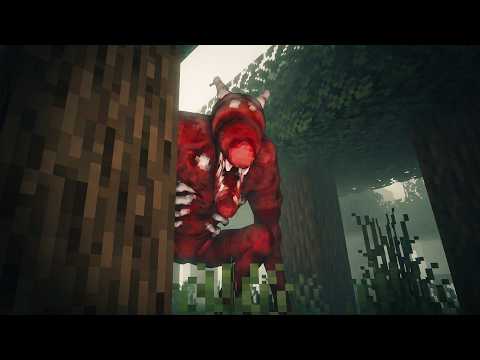
Gaming provides the expected reality check. Peggle works and perfectly fits the absurdity of imagining a Subway menu board displaying a game instead of sandwiches, but attempts to move beyond lightweight software expose both platform and hardware limitations. GTA V becomes tangled with launcher behavior and Linux compatibility before eventually opening under Windows, where reported performance falls into extremely low frame rates and the computer ultimately freezes. Another game manages roughly two dozen frames per second with unstable performance, while Minecraft proves surprisingly tolerant even when a large amount of TNT is used to create extra load. The demonstrations are more entertaining than scientific, though: settings are not consistently controlled, frame rates fluctuate, operating systems change, and there is no structured benchmark suite that would allow meaningful performance comparisons.
Emulation emerges as the most sensible potential use, although the episode does not test that possibility deeply enough to establish its limits. A small, silent, free computer with an i3-6100U, 8 GB of memory, and integrated graphics could plausibly be more useful for older software than contemporary PC gaming, and the presenter suggests PlayStation 2 and original Xbox-era emulation as possible targets. That conclusion would have benefited from actual emulator tests, particularly because the gaming experiments already show that opening a game and running it well are very different achievements. The fanless chassis is another interesting variable left largely unexplored; since the enclosure itself handles cooling, sustained temperatures and throttling would have been useful measurements during the heavier workloads.
The final examination of the original Subway SSD gives the episode a satisfying return to where it started. Connecting the drive to a desktop PC reveals accounts including Player, VA Player, and Help Desk, along with the Visual Art application files and remnants of signage content. A bizarre partial menu image and a Blackpool Zoo reference add some unexpected archaeological humor, although there is ultimately little hidden treasure in the software. The presenter also appropriately blurs information believed to be identifying during the earlier boot process rather than exposing it for the sake of curiosity. By the end, the machines have demonstrated far more flexibility than their original purpose suggests, but their greatest talent remains the one they were built for: reliably putting menus on screens.
Pros
- Rescuing three discarded signage PCs creates an unusual hardware experiment with enough units to explore Windows, macOS, and Linux separately.
- The gradual teardown and identification of the RAM, SSD, Core i3-6100U, Intel HD 520 graphics, and fanless cooling establish what the specialized-looking machines actually contain.
- Booting the original Subway signage environment and displaying its menu provides an immediate connection to the hardware's former purpose.
- Failed SteamOS and macOS attempts are retained rather than edited away, giving the operating-system experimentation a more authentic trial-and-error quality.
- Peggle, GTA V, Minecraft, and other gaming attempts reveal the hardware's limitations while producing entertaining results rather than pretending the machines are hidden gaming powerhouses.
- Inspecting the original SSD at the end uncovers signage software and leftover content without overstating how interesting the recovered files actually are.
Cons
- Gaming tests are informal, with inconsistent settings, operating systems, and performance measurements preventing useful benchmark comparisons.
- The macOS installation lacks graphics acceleration, so the proposed DIY Mac Mini concept is technically demonstrated but not shown to be practically successful.
- Emulation is suggested as the hardware's best gaming use without enough actual emulator testing to support specific performance expectations.
- The fanless design raises obvious questions about sustained temperatures and throttling that are not measured during demanding workloads.
- The sponsorship interrupts the hardware teardown just as the capabilities of the first machine are being established.
- Some installation and launcher troubleshooting runs long relative to the useful information produced, particularly when GTA V repeatedly refuses to cooperate.
Turning retired Subway signage hardware into Windows, macOS, and Linux machines is an entertaining demonstration of how much reusable computing capability can hide inside equipment destined for disposal, even if the gaming results confirm why these systems spent their lives displaying sandwiches rather than rendering demanding games. The experiments could be more rigorous, especially around emulation, thermals, and benchmarking, but the combination of teardown, operating-system failures, recovered signage software, and improbably functional gaming gives the project exactly the kind of technical curiosity its strange hardware deserves.